Changelog
= 1.1.1 =
* Improved compatibility with PHP 8
* Ready for WordPress 6.4
= 1.1 =
* Included the ability to update users without email
= 1.0 =
* First release

Whenever you create users or customers in WordPress or WooCommerce, you need them to have at least two pieces of information: the username and the email. The username may in fact be the same as the email, but the WordPress email needs it for one simple reason, it needs to communicate with the user. For this very reason, by default, we also ask for the email when importing users or customers with our plugin to Import Users and Customers for WordPress and WooCommerce.
However, in the real world, it is quite normal that you do not have the email addresses of all your users. With this plugin, you will be able to import users or customers without needing their email.
The users will be created, with their username and usually with their password so they can log in and then either edit their WordPress profile or in “My account” in WooCommerce, the plugin will ask them to fill in their email.
In this way, we solve a fairly common problem without losing sight of the subsequent need to have the users’ email.
Buy confidently with our buyer protection and get a full refund for any reason. Read our refund policy
Current version: ⚙ 1.1
Last updated: ◷ 2026-08-31
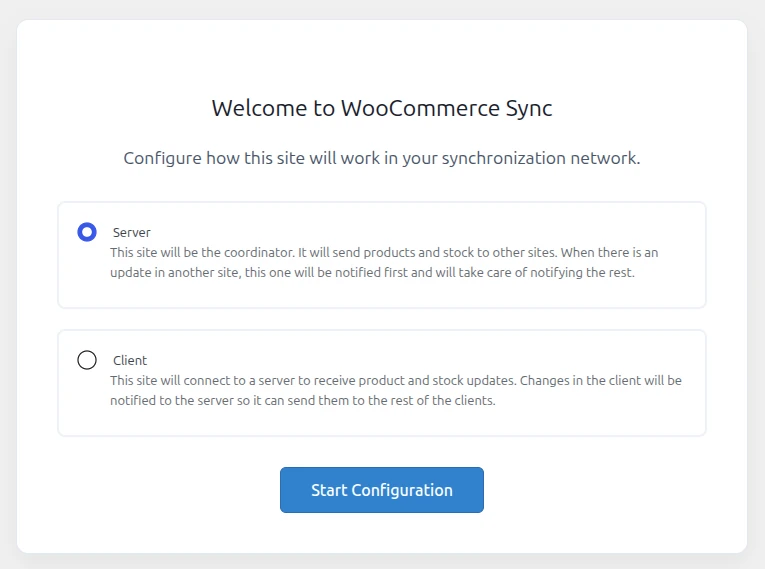
WooCommerce Sync is designed for networks of WooCommerce stores that share a catalog: a physical store with its online replica, a central warehouse supplying several franchises, simply two websites of the same brand that need to keep the same stock, or two stores under one owner with an identical or partially overlapping catalog. The plugin sets up direct communication between those stores using the WooCommerce REST API, without going through third-party services or manually exporting/importing CSVs.
Unlike other solutions on the market, which offer syncing as a <strong>paid external service</strong> hosted on their own platform, here there are no intermediaries: you provide the service yourself, from your own server, talking directly to the client stores. None of your data goes out to someone else’s cloud; the entire process happens between your own WordPress installations.
Below we explain how it’s set up and how it works under the hood, so you know exactly what’s happening at every step.
You can use a fixed date or a calculated one: first day of next month, first day of next year, last day next month, last day this year, last day next year.
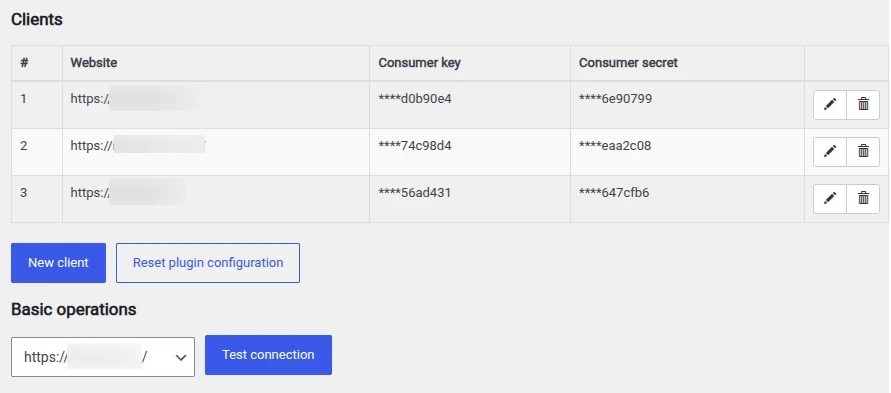
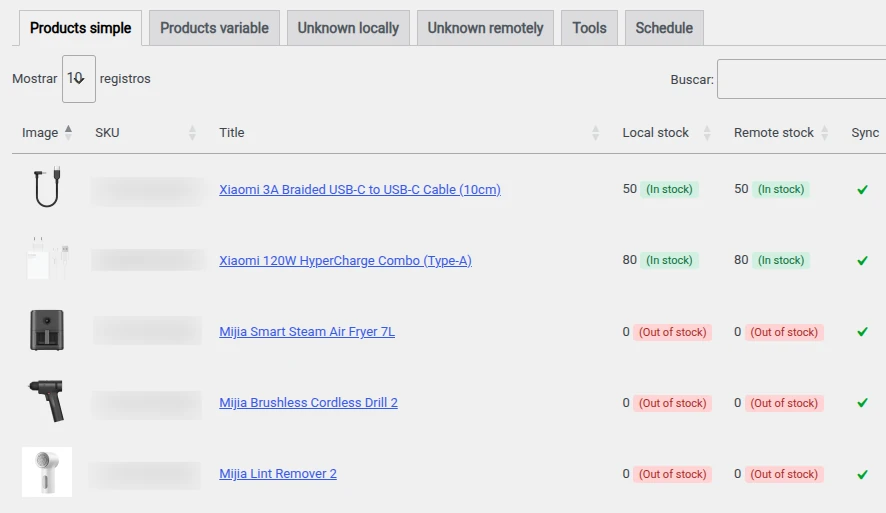
Each registered client gets its own management page, organized into tabs:
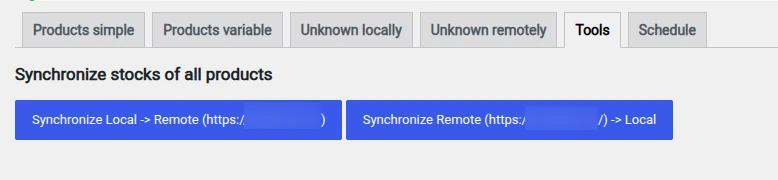
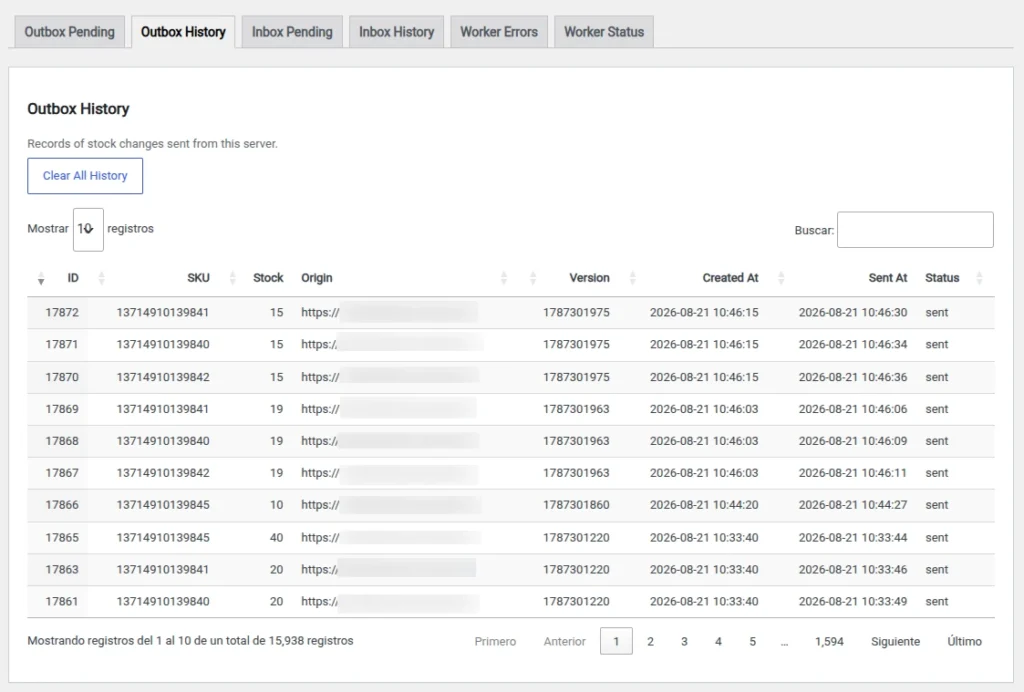
Here’s the more technical part, and the one that means you never have to remember to sync anything: the plugin hooks into the WooCommerce events that fire whenever a product’s or variation’s stock changes. At that exact moment, it logs the change (SKU, quantity, origin, and a version marker) into an internal table acting as an outbox.
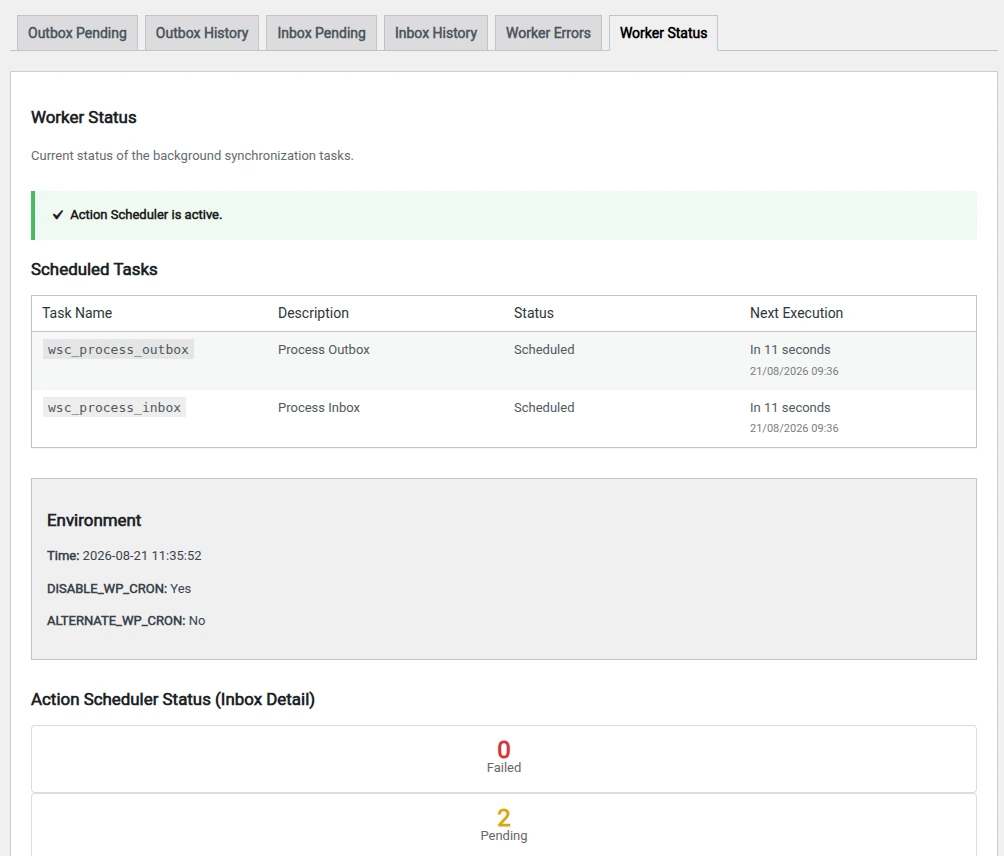
A background task, managed by Action Scheduler (the same queuing system WooCommerce uses for its own processes), periodically checks that outbox and sends each pending change to the corresponding stores. On the receiving end, the change lands in an equivalent inbox and is processed the same way, which prevents synchronization loops between stores.
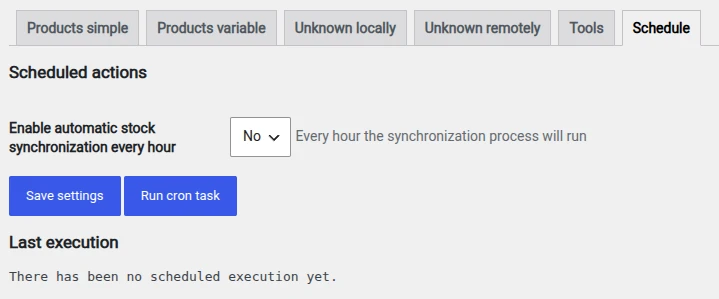
In addition to real-time syncing, you can enable an automatic hourly pass in the Schedule tab that goes through the entire catalog. This is useful as a backup for any change that wasn’t triggered correctly (for example, after a manual edit in the database), and it leaves you a log with the result of the last run.
WooCommerce Sync doesn’t reinvent the wheel: it makes use of the REST API and the queuing system that WooCommerce already includes out of the box to keep stock coordinated across multiple stores, combining three sync speeds — on-the-fly, manual, and scheduled — depending on what your operation needs at any given moment. And it does so without depending on anyone else: you are the synchronization service, with your own server as the hub of the network.
= 1.1.1 =
* Improved compatibility with PHP 8
* Ready for WordPress 6.4
= 1.1 =
* Included the ability to update users without email
= 1.0 =
* First release
| Cookie | Duration | Description |
|---|---|---|
| cookielawinfo-checkbox-analytics | 11 months | This cookie is set by GDPR Cookie Consent plugin. The cookie is used to store the user consent for the cookies in the category "Analytics". |
| cookielawinfo-checkbox-functional | 11 months | The cookie is set by GDPR cookie consent to record the user consent for the cookies in the category "Functional". |
| cookielawinfo-checkbox-necessary | 11 months | This cookie is set by GDPR Cookie Consent plugin. The cookies is used to store the user consent for the cookies in the category "Necessary". |
| cookielawinfo-checkbox-others | 11 months | This cookie is set by GDPR Cookie Consent plugin. The cookie is used to store the user consent for the cookies in the category "Other. |
| cookielawinfo-checkbox-performance | 11 months | This cookie is set by GDPR Cookie Consent plugin. The cookie is used to store the user consent for the cookies in the category "Performance". |
| viewed_cookie_policy | 11 months | The cookie is set by the GDPR Cookie Consent plugin and is used to store whether or not user has consented to the use of cookies. It does not store any personal data. |
Reviews
There are no reviews yet.