
Ultimate Member Addon
What it does
Import and export Ultimate Member profiles the way Ultimate Member saves them, from any CSV or Excel file.
Key features
- Every field of your forms converted to its type
- Profile photos and cover photos with their thumbnails
- Image and file fields: logos, documents, CVs
- Account status, with or without emails
- Privacy and members directory visibility
Checks every row before importing and makes every member appear in the members directory.
Built on Import and export users and customers, used on 70,000+ sites and rated 4.7/5 on WordPress.org since 2014.
COMPLETE PROFILES
Profiles that look as if your members filled them in
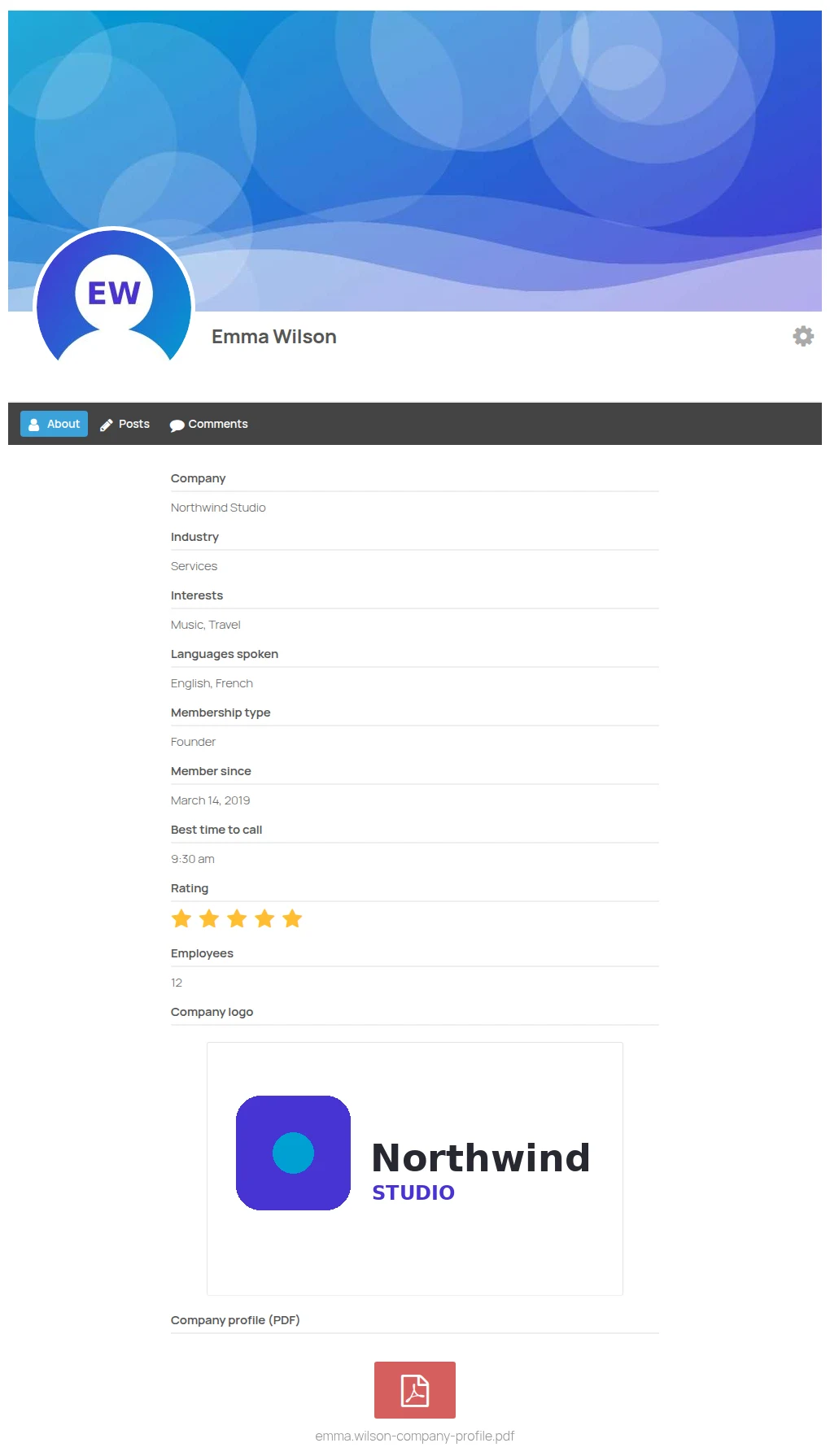
Ultimate Member does not save its data like the rest of WordPress, so a plain import leaves profiles half empty. This addon saves everything the way Ultimate Member does:
- Every field of your forms: dropdowns, radios, checkboxes and multi selects, dates, times, numbers and ratings, converted to what Ultimate Member expects
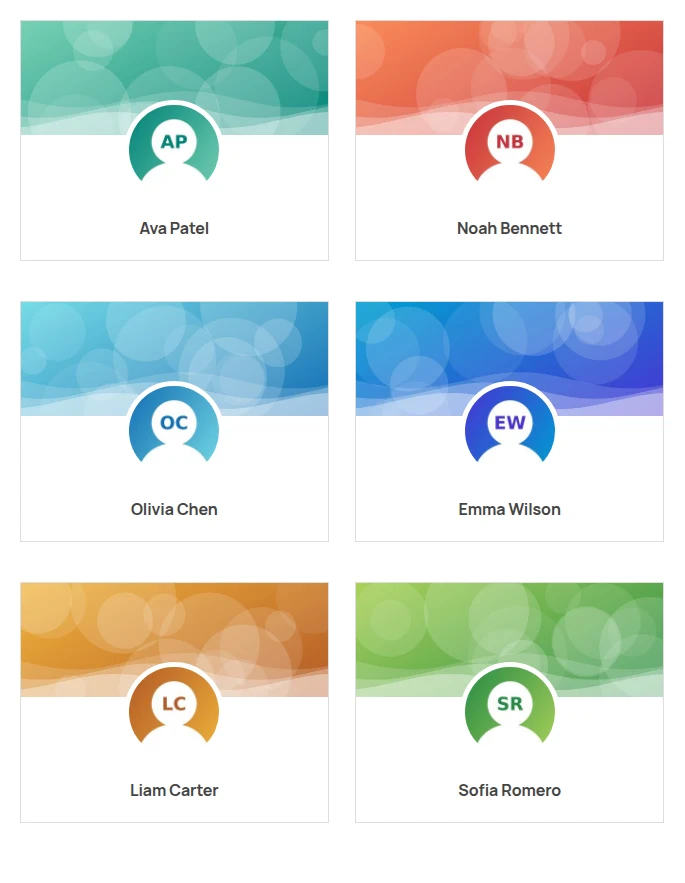
- Profile photos and cover photos from a URL or the media library, cropped and saved with the thumbnail sizes of Ultimate Member
- Image and file fields: logos, documents, CVs… copied to the folder of each member, so they are shown and downloaded from the profile like uploaded ones
- Roles by name or slug: write “Member” instead of “um_member”
Importing the same file again updates the profiles without downloading the same images twice.
ANY SPREADSHEET
Your columns, recognised by themselves
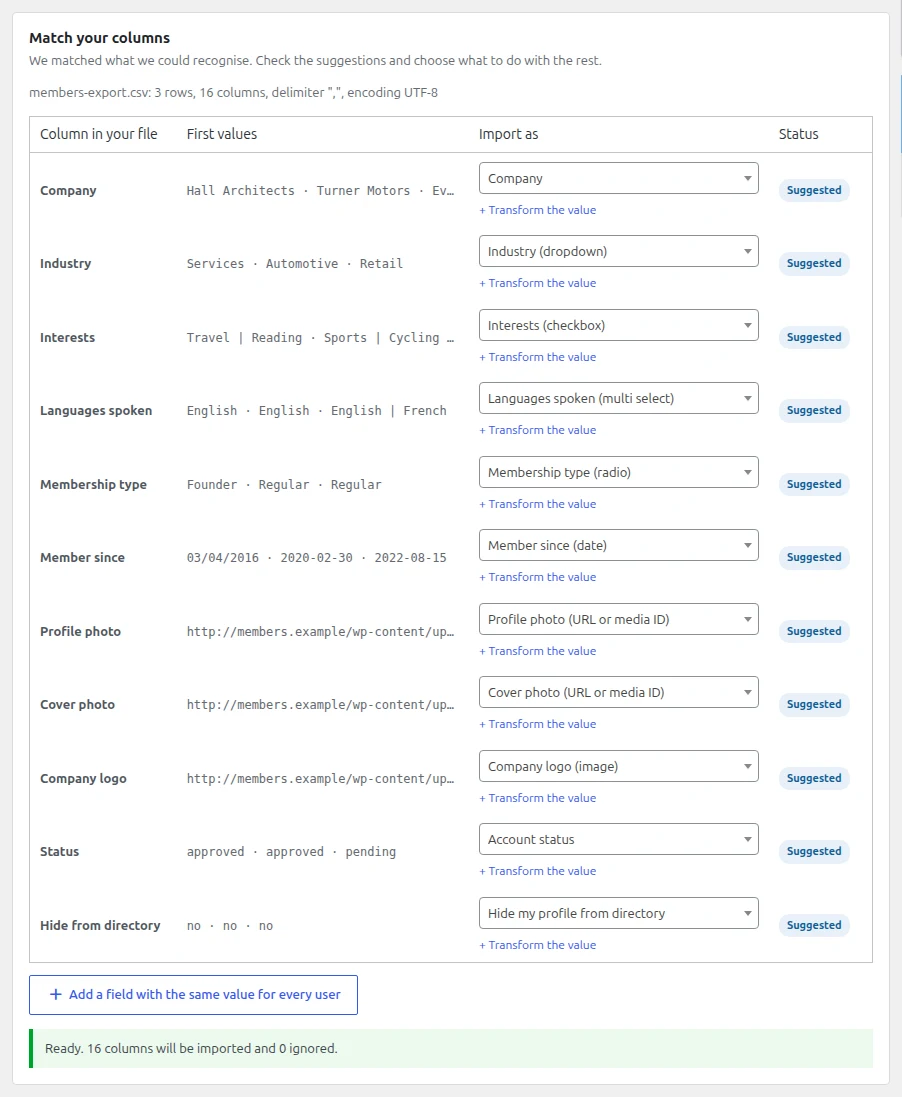
Export your members from another platform, a CRM or a spreadsheet and import them with the import assistant. It recognises the Ultimate Member fields by their title, so “Industry”, “Member since” or “Profile photo” are matched to the right field without renaming anything:
- Options matched without caring about upper case or accents, several values separated by “|”
- Dates in any common format: 2019-03-14, 14/03/2019 or Excel dates
- Times like 17:30 or 5:30 pm
- Predefined fields of Ultimate Member too: country, gender, languages, birth date, social networks…
If a value is not an option of a field, you can skip it with a warning or add it to the field in every form.
CHECK BEFORE IMPORTING
See the problems before they happen
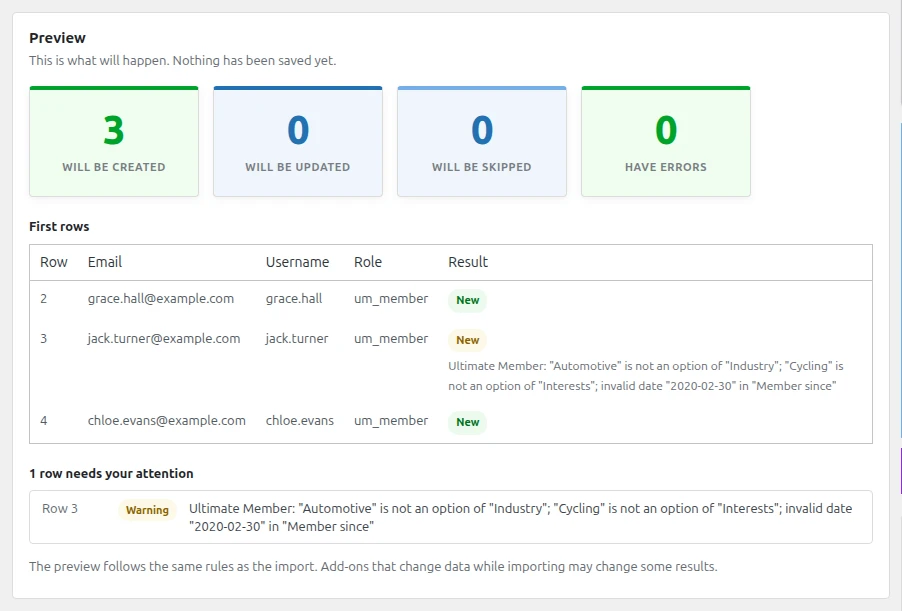
The preview of the import assistant checks every row against your Ultimate Member forms and tells you what will not fit: options that do not exist, impossible dates, wrong times or numbers, images or files that are not valid and unknown account statuses. Nothing is saved until you decide to import.
Columns anyone can read and write, so you can prepare the file in Excel or Google Sheets:
Interests: Music | Travel
Member since: 14/03/2019
Profile photo: https://example.com/photos/emma.jpg
Status: approved
STATUS AND DIRECTORY
Approved, pending or hidden: you decide
- Account status: approved, pending review, waiting email confirmation, inactive or rejected. It is changed with the functions of Ultimate Member, so logins and the activation email work as usual.
- Silent imports: no welcome, approval or rejection emails to your members while importing.
- Members directory fixer: Ultimate Member only lists members with a status and directory data, so users created by imports, other plugins or WP-CLI are invisible. One click makes them visible, and imported members get it automatically.
- Privacy: profile privacy, hide from the directory and verified accounts.
- Export with the same columns: readable lists, dates and the URLs of photos and files, ready to import on another site.
Technical information
- Version
- 1.0.0
- Last updated
- November 19, 2026
- WordPress
- 5.0 or newer
- Tested up to
- 7.1
- Updates and support
- 1 year included, renewable
- Refund
- 30 days, no questions asked
- License
- GPL v2 or later
Changelog
1.0.0 2026-11-19 Latest
- First version
- Import and export of every Ultimate Member form field converted to its type, profile photos and cover photos with thumbnails, image and file fields, account status with or without emails, role names, privacy, directory visibility and verified accounts
- Checks in the preview of the import assistant
- Members directory fixer
Frequently asked questions
What do I need to use it?
This plugin requires Import and export users and customers (free). Install and activate it first, then upload this plugin and enter your license key.
How many sites can I use it on?
Personal is for 1 site, Professional for up to 5 and Agency for up to 25. Choose your plan before buying. If you need more sites, contact us.
What happens after the first year?
Your subscription renews every year so you keep receiving updates and support. You can cancel the renewal at any time from My account.
Can I get a refund?
Yes. If it does not work for you, ask for a refund within 30 days of your purchase and we will give you your money back.
How do I get support?
Premium support is included with your license. Open a ticket from the support page and we will help you.
Reviews
There are no reviews yet.