
Multisite Addon
What it does
Import users into a WordPress Multisite network keeping the data of each site apart, from the same CSV or Excel file.
Key features
- Each column saved for one site or for the whole network
- The same template on every site, also in the frontend form
- A different role on each site and users removed from sites
- The whole network in one file, from the Network Admin
- Safe: site administrators only change what they manage
Move a whole network to another one with sites, roles, passwords and the data of every site.
Built on Import and export users and customers, used on 70,000+ sites and rated 4.7/5 on WordPress.org since 2014.
PER SITE OR FOR THE NETWORK
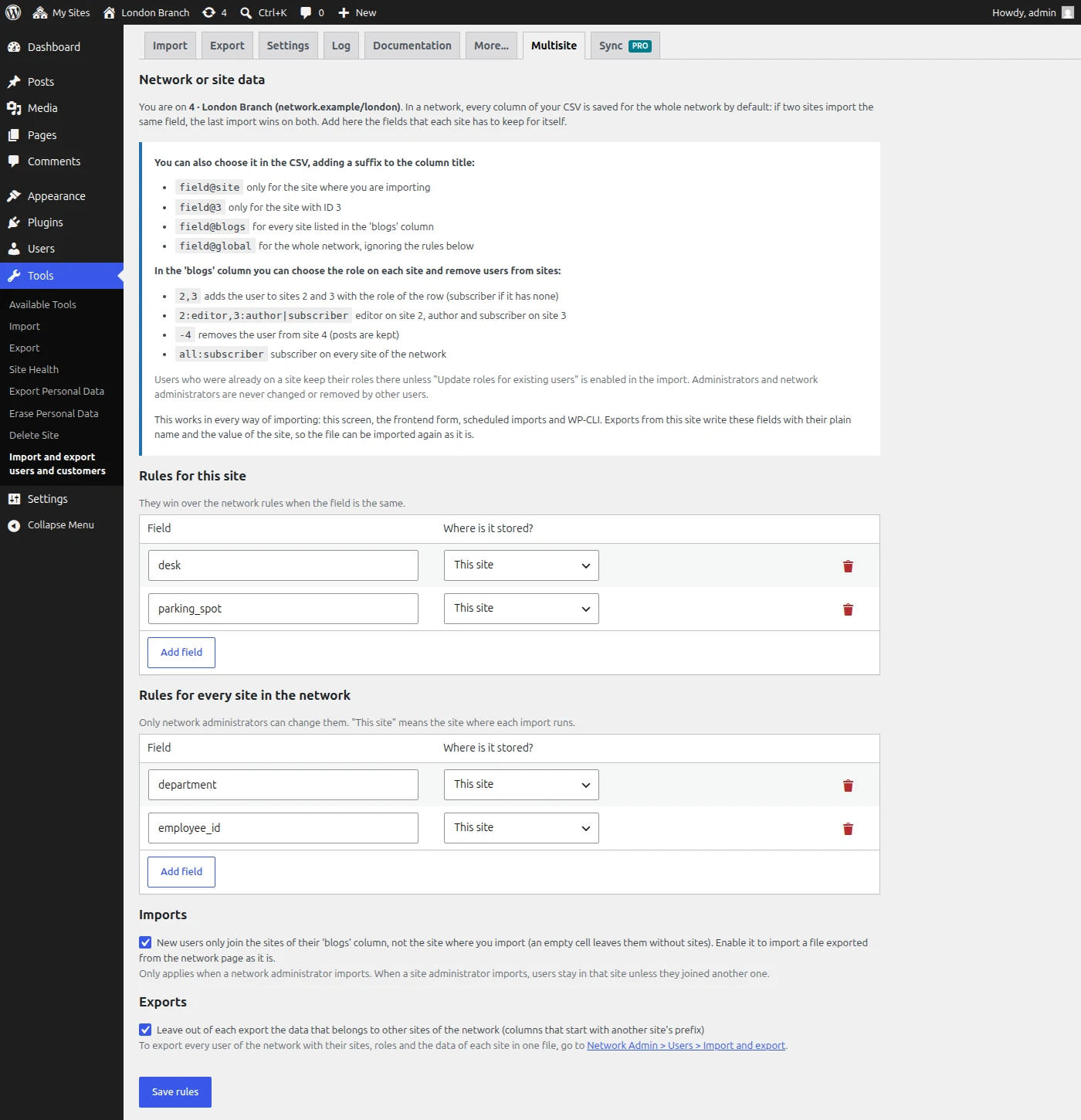
Each site keeps its own data
In a Multisite network every imported column is saved for the whole network: if two sites import the same field, the last import overwrites it on every site. With this addon you decide it column by column:
- Rules for each site and for the whole network: “department” is saved only for the site where you import, so the same template works on every site
- Suffixes in the column title when you prefer to choose it in the file: department@site, department@3, department@blogs or department@global
- Every way of importing: the import screen, the frontend form, scheduled imports and WP-CLI
Exports of each site write those fields with their plain name and the value of the site, so the file can be imported again as it is.
ROLES ON EACH SITE
The right role on each site, from one column
The blogs column says where each user goes and with which role:
- 2:editor,3:author|subscriber: editor on site 2, author and subscriber on site 3
- -4: removes the user from site 4, keeping their posts
- all:subscriber: subscriber on every site of the network
- Optionally, new users only join the sites of the file, not the site where you import
Users who were already on a site keep their roles unless you choose to update them.
THE WHOLE NETWORK
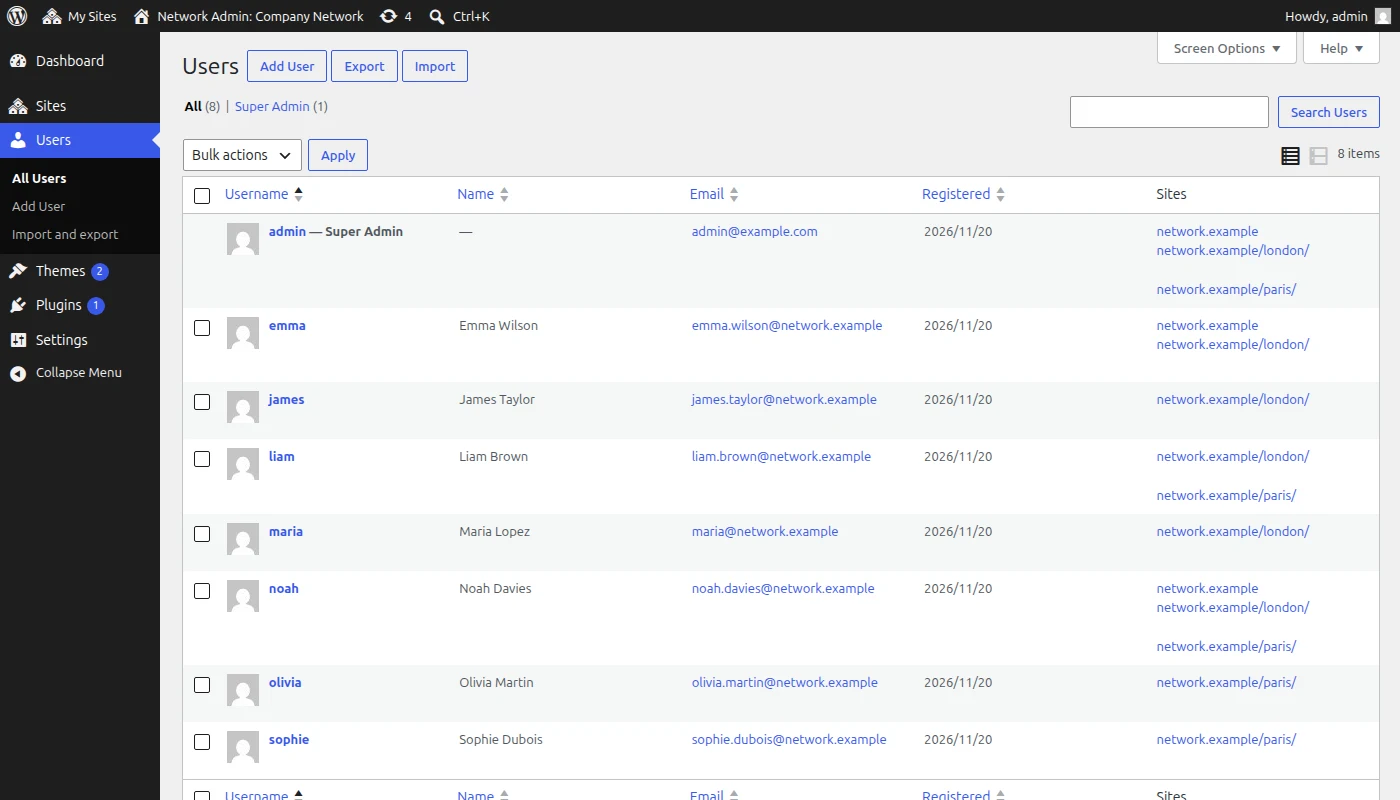
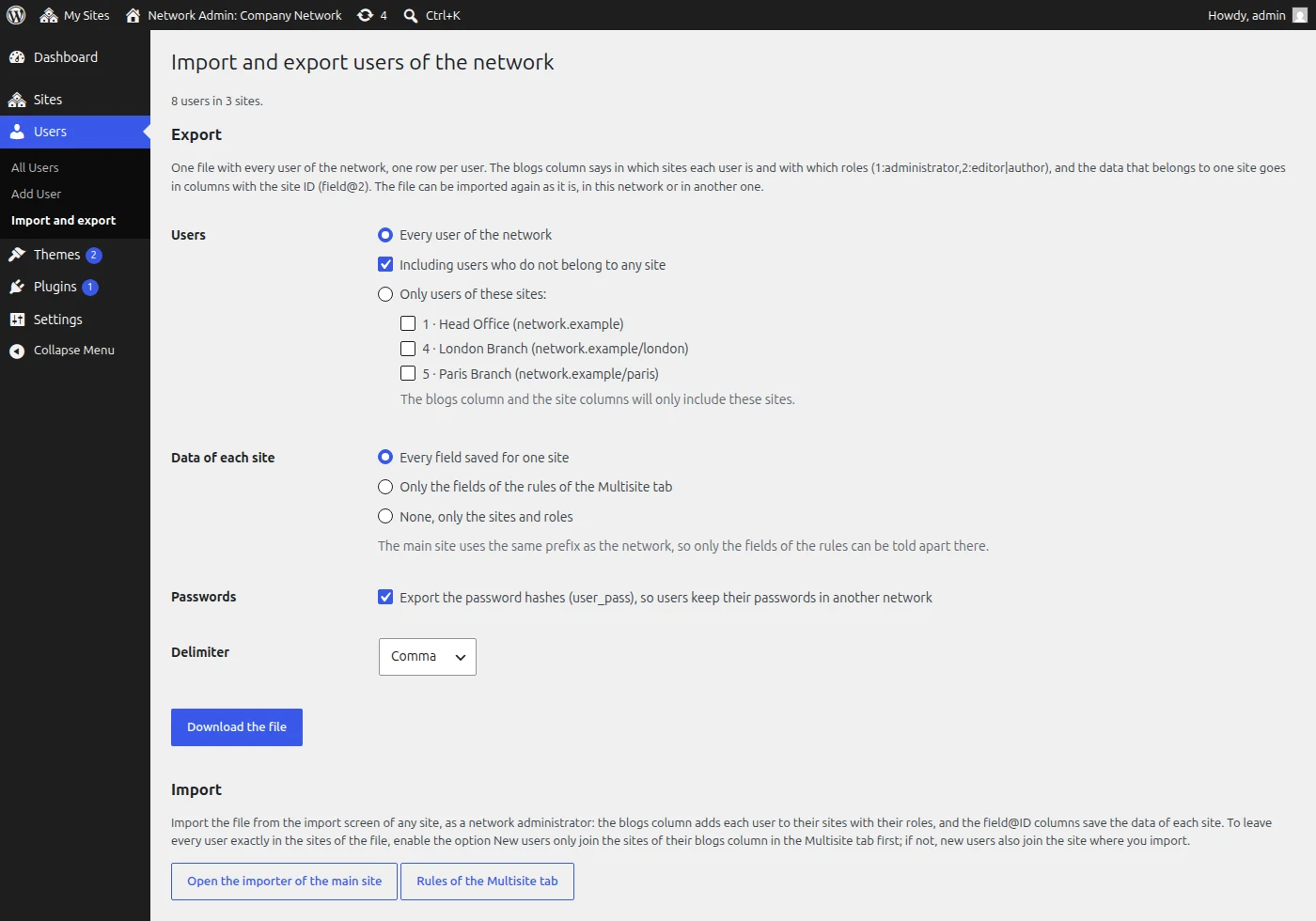
Your whole network in one file
A new page in Network Admin > Users exports every user of the network, one row per user:
- The sites and roles of each user, including the custom roles of each site
- The data of every site in its own column: department@2, department@3…
- Password hashes, so users keep their passwords
- Every user or only the users of some sites
Import the file in another network and every user lands in the same sites, with the same roles and data. Useful to move a network, keep a copy or review who is where in a spreadsheet.
SAFE FOR EVERY SITE
Site administrators only change what they manage
- A site administrator only writes data and roles in the sites where they can manage users
- The roles of administrators and network administrators are protected
- Fields that could change permissions, like capabilities, are never written
- After each import, a notice tells you what could not be saved and why, also in the frontend form and in WP-CLI
Username,Email,department,blogs
emma,emma@example.com,Marketing,"1:editor,4:author"
liam,liam@example.com,Sales,"4,5,-1"
olivia,olivia@example.com,Design,5:editor
Technical information
- Version
- 1.0.0
- Last updated
- November 20, 2026
- WordPress
- 5.0 or newer
- Tested up to
- 7.1
- Updates and support
- 1 year included, renewable
- Refund
- 30 days, no questions asked
- License
- GPL v2 or later
Changelog
1.0.0 2026-11-20 Latest
- First version
- Each column saved for one site or for the whole network, with suffixes in the column title (field@site, field@3, field@blogs, field@global) or with rules for each site and for the whole network
- blogs column with a role on each site (2:editor,3:author|subscriber), users removed from sites (-4) and all:role
- Exports of each site with the fields of the site and without the data of other sites
- Export of the whole network from the Network Admin, ready to be imported in another network
- Notices of what could not be saved after importing, in the frontend form and in WP-CLI
Frequently asked questions
What do I need to use it?
This plugin requires Import and export users and customers (free). Install and activate it first, then upload this plugin and enter your license key.
How many sites can I use it on?
Personal is for 1 site, Professional for up to 5 and Agency for up to 25. Choose your plan before buying. If you need more sites, contact us.
What happens after the first year?
Your subscription renews every year so you keep receiving updates and support. You can cancel the renewal at any time from My account.
Can I get a refund?
Yes. If it does not work for you, ask for a refund within 30 days of your purchase and we will give you your money back.
How do I get support?
Premium support is included with your license. Open a ticket from the support page and we will help you.
Reviews
There are no reviews yet.