 Codection
Tutor LMS Addon
What it does
Import and export Tutor LMS students with their courses and progress, from any CSV or Excel file.
Key features
- Enrolled courses with the enrollment date
- Lessons completed, with the date of each one
- Quiz attempts with points, percentage and passed or failed
- Completed courses, ready for certificates
- Instructors with their status and courses
Move a whole Tutor LMS school to another site without losing what each student has done.
STUDENTS AND THEIR PROGRESS
Move every student with everything they have done
Exporting users from a Tutor LMS site only gives you names and emails: courses, lessons and quiz results stay behind. With this addon the same CSV or Excel file carries:
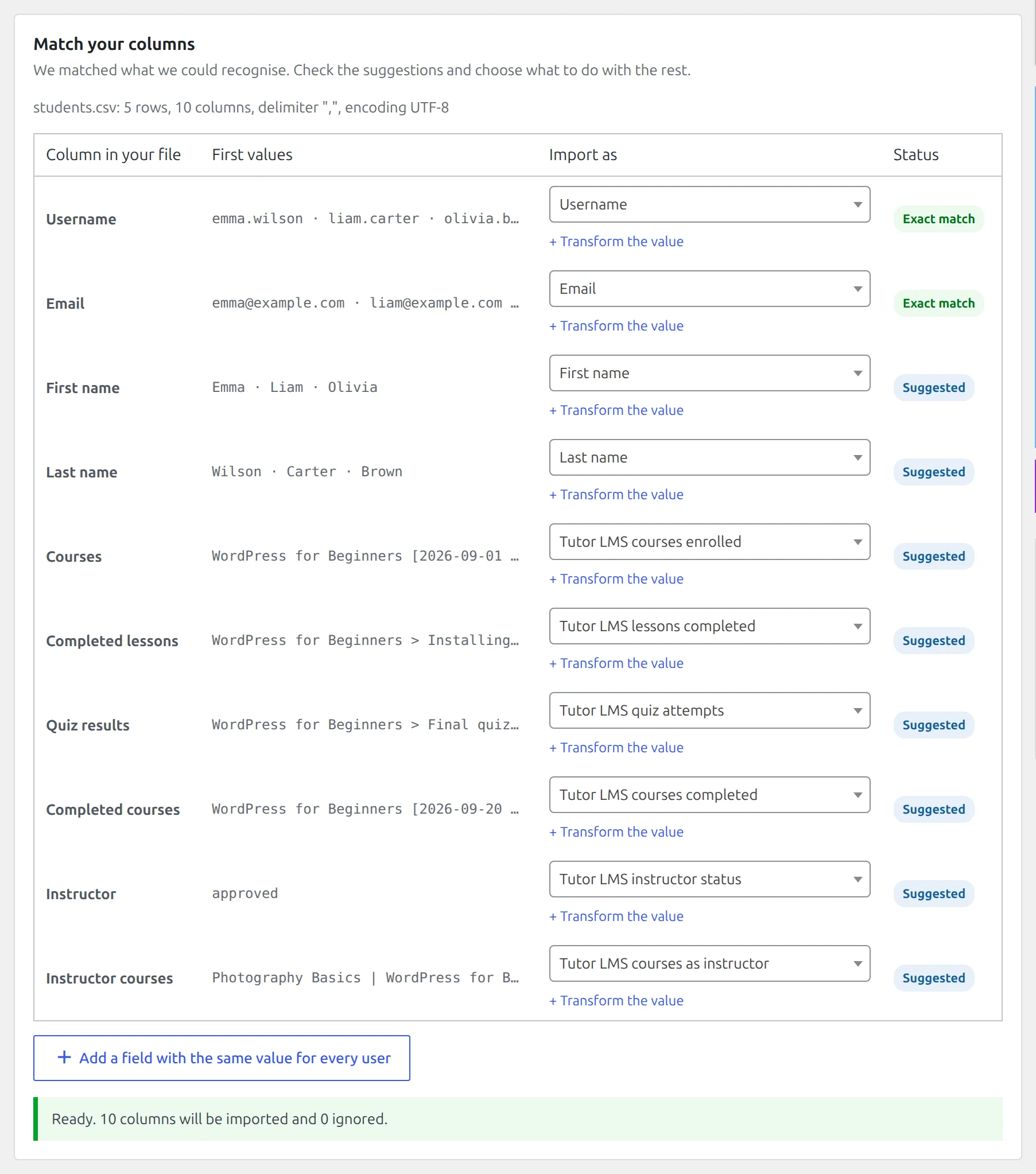
- Enrolled courses with the enrollment date
- Lessons completed, with the date of each one
- Quiz attempts with points, percentage and passed or failed
- Completed courses with the completion date
- Instructors with their status and the courses they teach
The import wizard recognises these columns by their name, so most files are ready without touching anything.
WORKS LIKE THE REAL THING
Progress bars, quiz results and certificates as usual
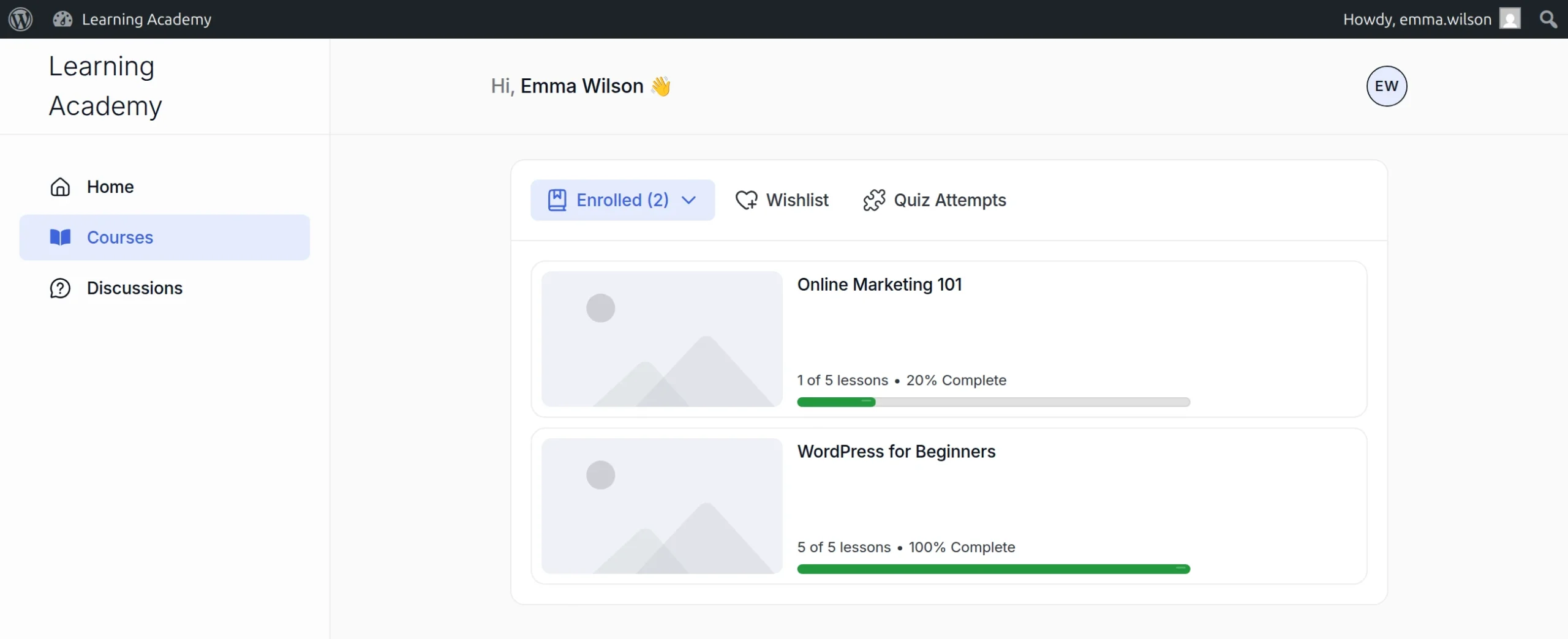
Everything is saved the way Tutor LMS saves it, so students find their courses exactly where they left them:
- The progress of each course counts the imported lessons and quizzes
- Quiz attempts appear in Quiz Attempts and in the student dashboard, passed or failed
- Completed courses keep their date, ready for certificates (Tutor LMS Pro)
- Students can be enrolled in paid courses without creating orders
- No emails about old progress: only enrollments run the usual Tutor LMS actions
CHECKED BEFORE IMPORTING
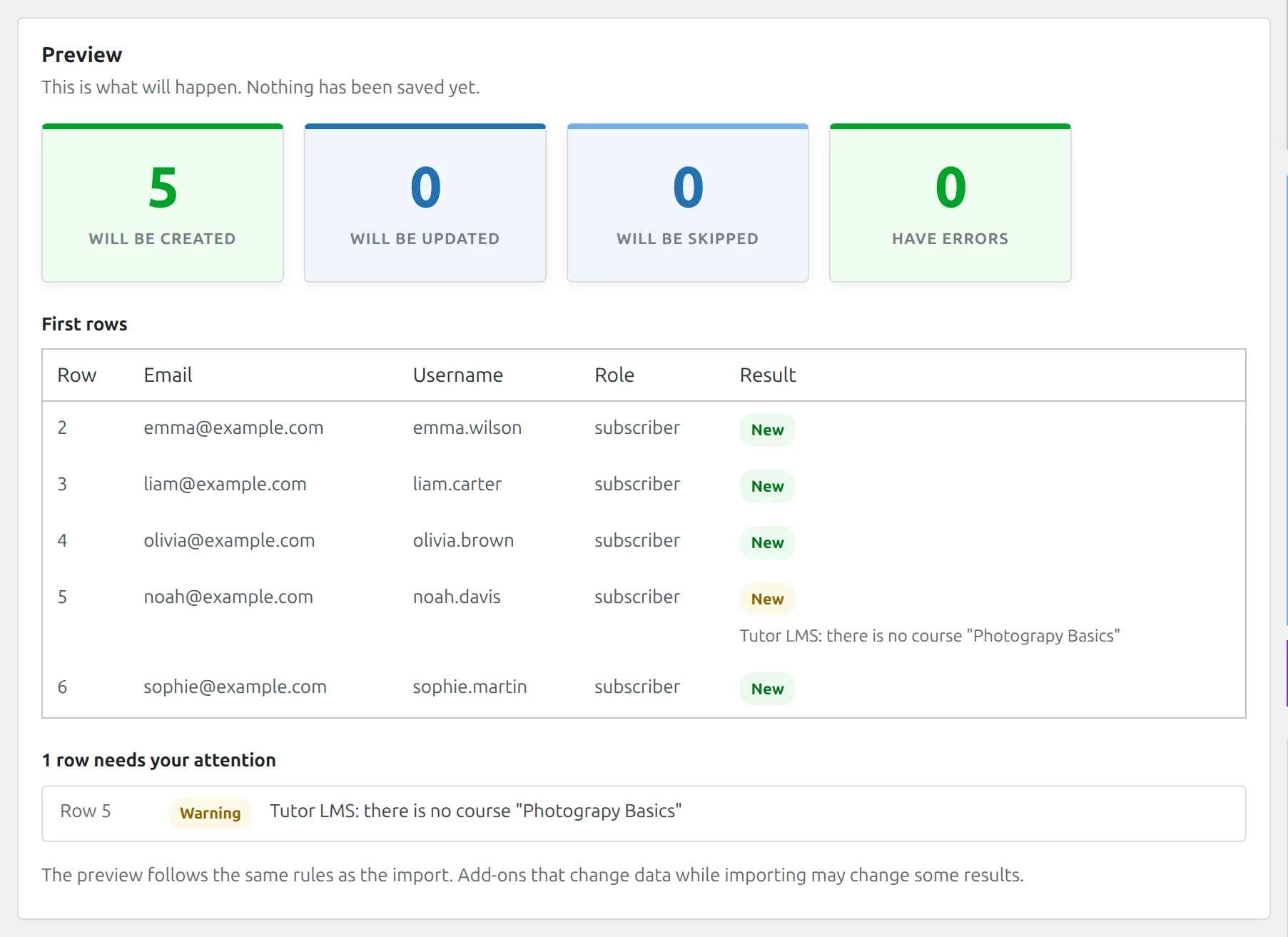
Every row checked before anything is saved
The preview of the import wizard tells you row by row what is wrong before you import:
- Courses, lessons or quizzes that do not exist in this site
- Dates and quiz results written in a way that cannot be read
- Lessons with the same name in a course, so you can add the topic
Importing the same file again does not duplicate enrollments, lessons or quiz attempts, and existing progress is never removed.
READABLE COLUMNS
A file you can read and fill by hand
- Courses, topics, lessons and quizzes written by their title, so the file works in a site where the IDs are different
- Several items in one cell separated by “|” and dates between brackets
- The export writes the same columns, plus a progress summary of each course
- Export from one site and import in another: the result is the same file, with 0 differences
Username,Email,Courses,Completed lessons,Quiz results
emma,emma@example.com,"WordPress for Beginners [2026-09-01]","WordPress for Beginners > Installing WordPress [2026-09-02]","WordPress for Beginners > Final quiz = 9/10 points, 90%, passed"
liam,liam@example.com,"Online Marketing 101 | Photography Basics",,
Technical information
- Version
- 1.0.0
- Last updated
- November 26, 2026
- WordPress
- 5.0 or newer
- Tested up to
- 7.2
- Updates and support
- 1 year included, renewable
- Refund
- 30 days, no questions asked
- License
- GPL v2 or later
Changelog
1.0.0 2026-11-26 Latest
- First version: export and import of Tutor LMS enrolled courses, lessons completed, quiz attempts and completed courses with their dates, and instructors with their status and courses
- Columns available in the import wizard, with automatic matching of common column names and checks in the preview
Frequently asked questions
How many sites can I use it on?
Personal is for 1 site, Professional for up to 5 and Agency for up to 25. Choose your plan before buying. If you need more sites, contact us.
What happens after the first year?
Your subscription renews every year so you keep receiving updates and support. You can cancel the renewal at any time from My account.
Can I get a refund?
Yes. If it does not work for you, ask for a refund within 30 days of your purchase and we will give you your money back.
How do I get support?
Premium support is included with your license. Open a ticket from the support page and we will help you.
Reviews
Be the first to review this plugin.
Reviews
There are no reviews yet.