 Codection
AI Assistants (MCP) Addon
AI Assistants (MCP) Addon works on top of Import and export users and customers. Buy it, upload the zip in Plugins > Add New Plugin and enter your license key: your settings and imports stay as they are.
What it does
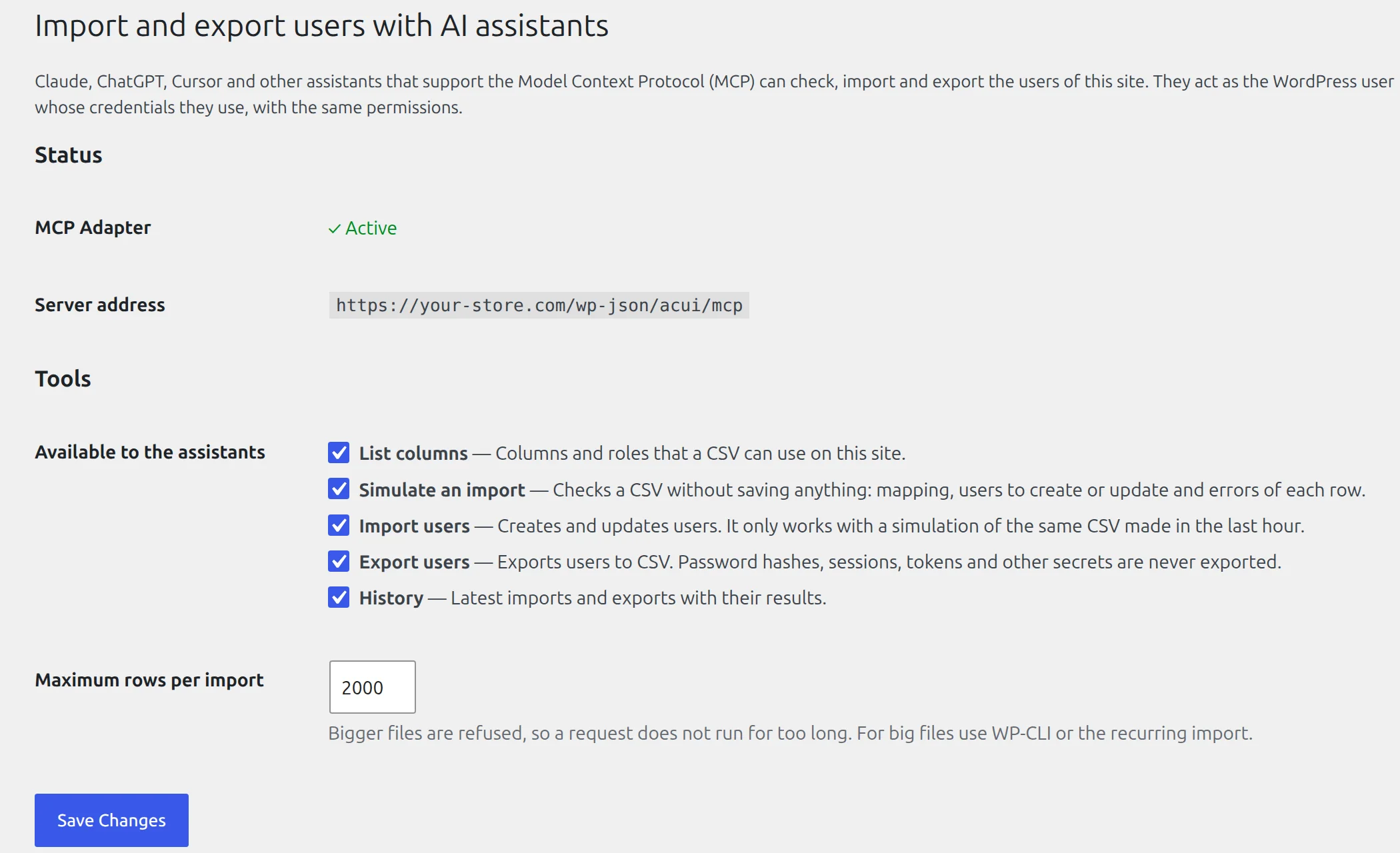
Let Claude, ChatGPT, Cursor and other AI assistants check, import and export the users of your site through the Model Context Protocol (MCP).
Key features
- Checks any CSV before importing: mapping, users to create or update and errors
- Imports and updates users, WooCommerce customers and custom fields
- Exports only the users and columns you ask for
- Every import is simulated first, and secrets are never exported
- Built on the official WordPress MCP Adapter
Built on Import and export users and customers, used on 70,000+ sites and rated 4.7/5 on WordPress.org since 2014.
USERS FROM YOUR AI ASSISTANT
Ask your AI assistant to import or export your users
Claude, ChatGPT, Cursor, VS Code and any assistant that supports the Model Context Protocol (MCP) can work with the users of your site. Just ask:
- "Check this CSV": it tells you which columns it recognises, how many users would be created or updated and what is wrong in each row
- "Import it": the users are created and updated with their fields, WooCommerce data and custom fields
- "Export the customers registered this year with their phone": you get the CSV with only the columns you asked for
- "What happened in the last import?": the history with the result and the errors of each import
The assistant understands columns in any language ("E-mail", "Nombre", "Téléphone"…) and maps them for you.
SAFE BY DESIGN
Nothing is imported without a simulation first
Giving an AI access to your users needs limits. This addon puts them in the plugin, not in the prompt:
- Every import needs a simulation of the same file made in the last hour, so the assistant always shows you the result before saving anything
- The assistant works as the WordPress user whose application password it uses, with exactly the same permissions
- Password hashes, sessions, application passwords, tokens and other secrets are never exported
- Welcome emails are only sent if you ask for them
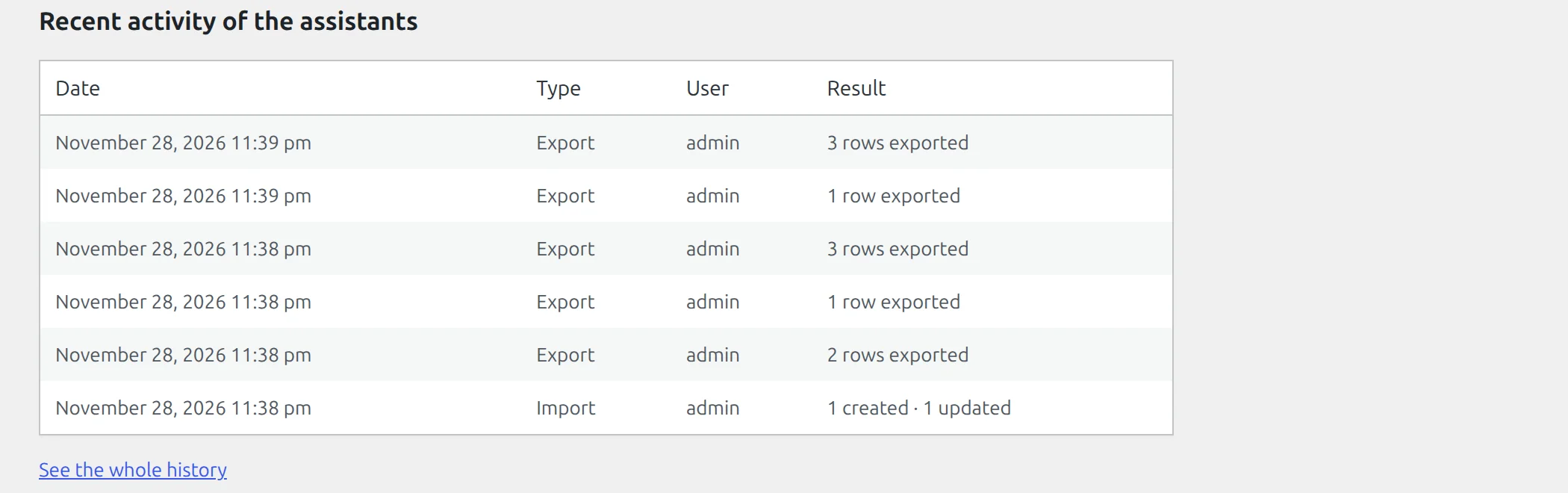
- Every import and export is saved in the history with the user who made it
You choose which tools are available and the maximum number of rows of each import.
READY IN TWO MINUTES
Built on the official WordPress MCP Adapter
The addon uses the Abilities API of WordPress and the official MCP Adapter plugin, so it works with every MCP client:
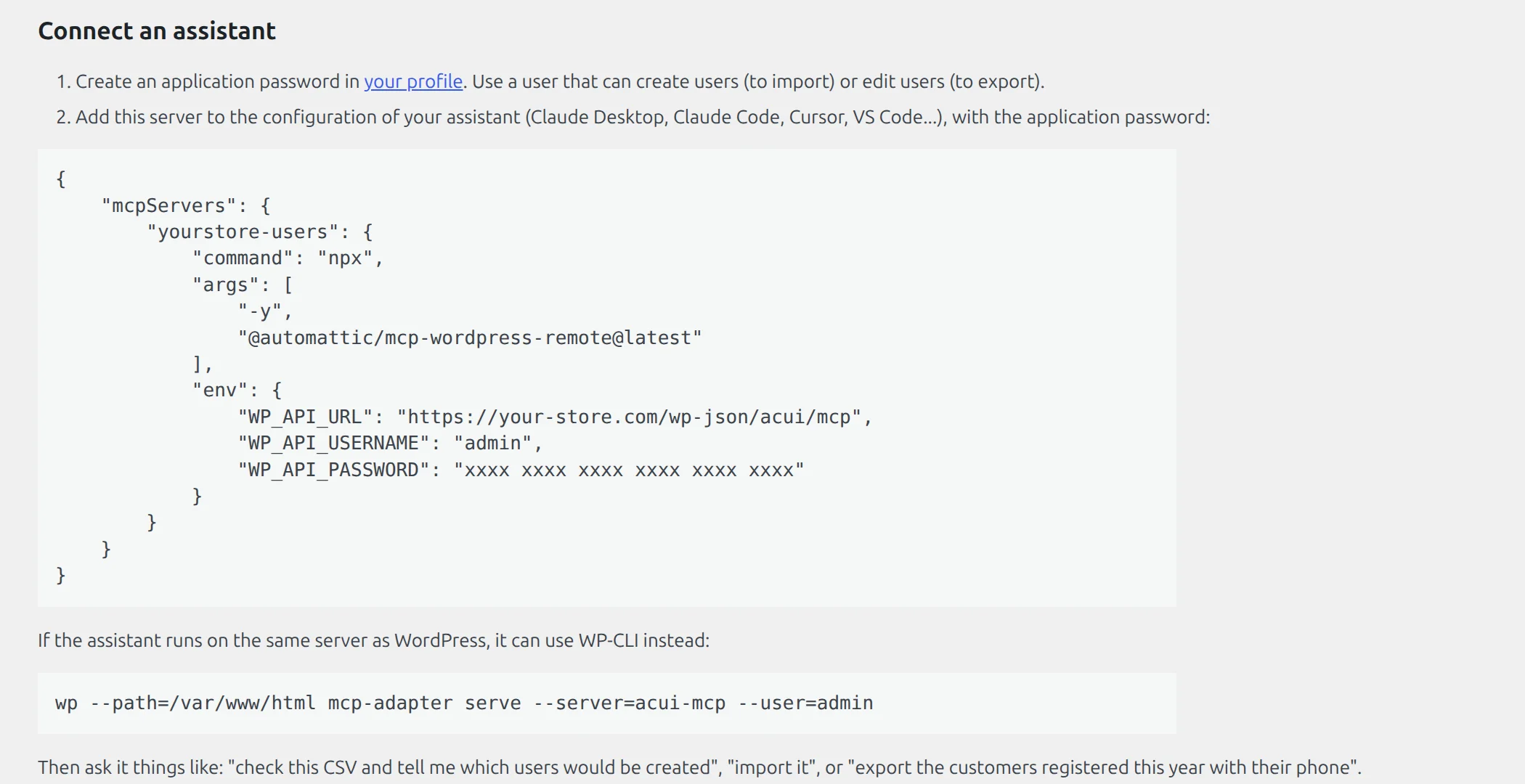
- Create an application password in your profile
- Copy the configuration shown in the addon into Claude Desktop, Claude Code, Cursor or VS Code
- Or connect through WP-CLI if the assistant runs on the same server
- Big exports come back as a download link that expires in one hour
Five tools: list columns, simulate an import, import users, export users and history.
Technical information
- Version
- 1.0.0
- Last updated
- November 29, 2026
- WordPress
- 6.9 or newer
- Tested up to
- 7.2
- Updates and support
- 1 year included, renewable
- Refund
- 30 days, no questions asked
- License
- GPL v2 or later
Changelog
1.0.0 2026-11-29 Latest
- First version: list columns, simulate import, import users, export users and history tools for AI assistants through the official MCP Adapter
Frequently asked questions
What do I need to use it?
This plugin requires Import and export users and customers (free). Install and activate it first, then upload this plugin and enter your license key.
How many sites can I use it on?
Personal is for 1 site, Professional for up to 5 and Agency for up to 25. Choose your plan before buying. If you need more sites, contact us.
What happens after the first year?
Your subscription renews every year so you keep receiving updates and support. You can cancel the renewal at any time from My account.
Can I get a refund?
Yes. If it does not work for you, ask for a refund within 30 days of your purchase and we will give you your money back.
How do I get support?
Premium support is included with your license. Open a ticket from the support page and we will help you.
Reviews
There are no reviews yet.